
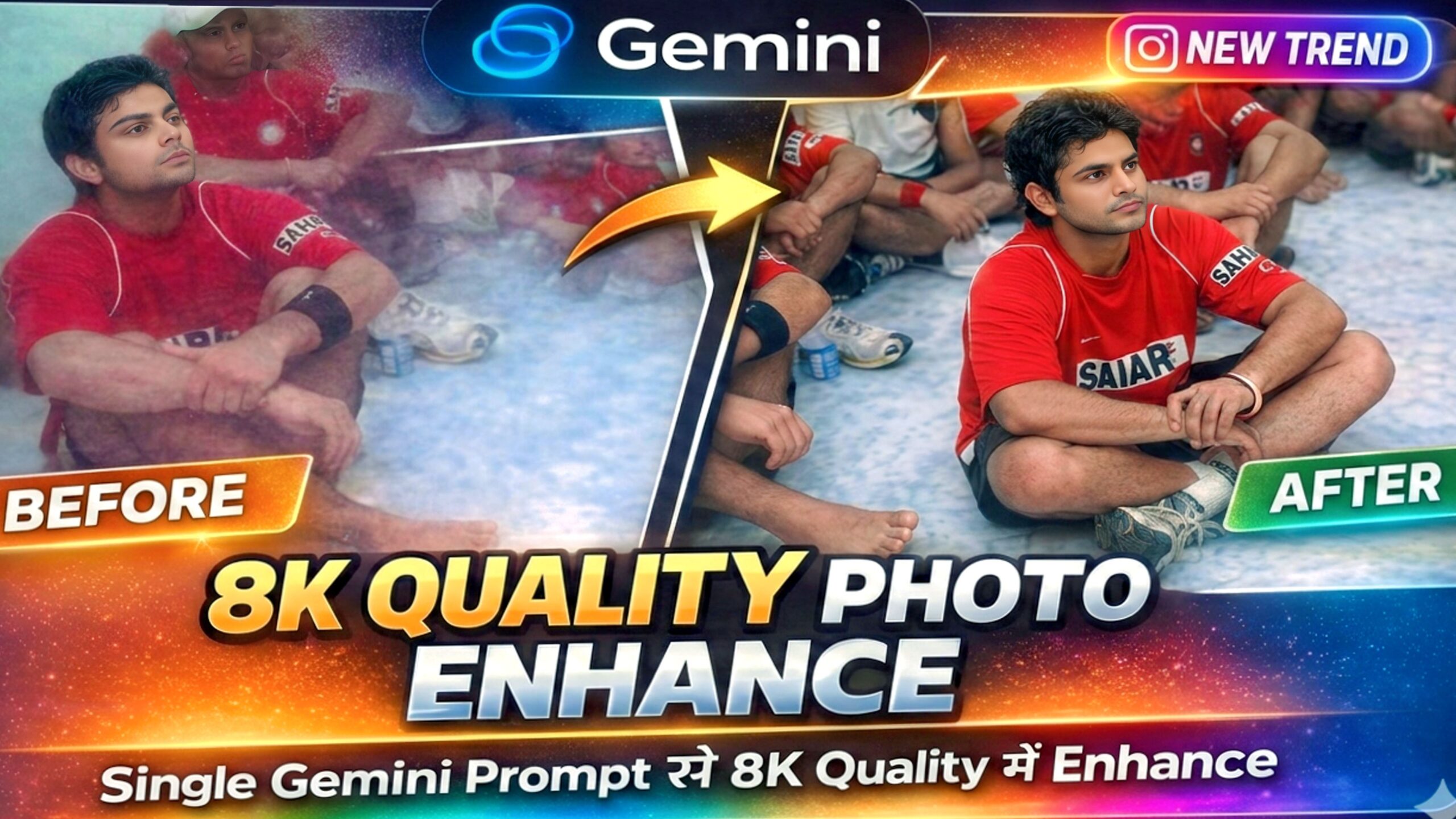
Blur Photo को 8k में Enhance करे | केवल 1 Minutes में

Google Gemini से अपनी फोटो को 8K में Enhance कैसे करें (आसान तरीका)
अगर आपकी फोटो थोड़ी blur है या उतनी sharp नहीं दिखती, तो अब उसे High Quality में करने के लिए Photoshop सीखने की जरूरत नहीं है क्योंकि AI tools की मदद से आप अपनी normal photo को भी 8K quality में Enhance कर सकते हैं।
Google Gemini की मदद से आप सिर्फ एक prompt लिखकर अपनी photo को ज्यादा sharp, clear और professional बना सकते हैं।इस post में मैं आपको बिल्कुल आसान तरीके से बताऊंगा कि Gemini से photo को 8K में enhance कैसे किया जाता है और साथ में ऐसे prompt भी दूंगा जिससे तुम लोग अपनी Photo को Ultra High Quality में Enhance कर सको।
👉 Google Gemini क्या है ?
Google Gemini Google का एक AI tool है जो text, image और code को समझकर काम कर सकता है। इसकी खास बात यह है कि यह image को analyze करके उसकी quality, lighting और details को improve कर सकता है।
मतलब अगर आपकी फोटो थोड़ी low quality है तो Gemini उसे HD या 8K level तक enhance कर सकता हैं।
Gemini से फोटो 8K में Enhance करने का Step by Step Process 👇
Step 1️⃣ : Gemini open karo
- Mobile me Gemini app open karo ya browser me gemini.google.com pe jao
- Google account se login karo
- Create Image pe click karo.
Step 2️⃣ : अपनी फोटो upload करें
- + Button pe click kare
- Gallery se photo select karo
- Photo upload hone do.
Step 3️⃣ : Gemini को सही prompt दें
- नीचे 5 से ज्यादा High Quality Prompt हैं
- किसी को भी copy करो
- अब उस Prompt को Gemini में Paste कर दो।
✅ 8K Photo Enhance करने का Best Prompt👇
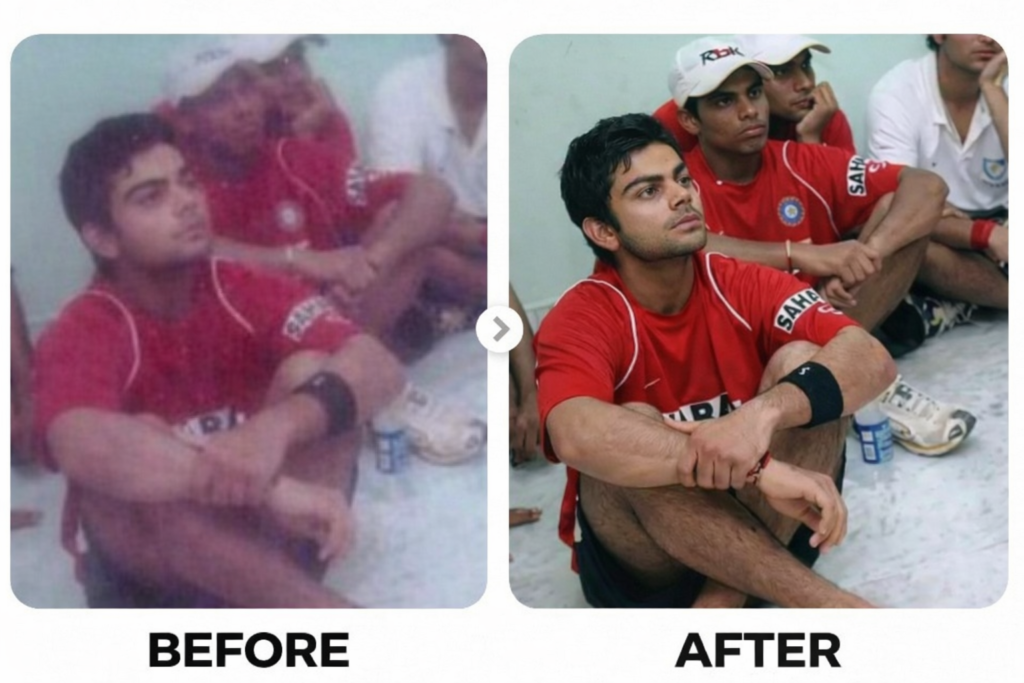
Use the original image as a strict reference and preserve 100% identity, face structure, pose, and composition. Perform ultra-high-resolution 8K upscaling with maximum detail enhancement. Add realistic skin texture with visible pores, fine lines, and natural imperfections, avoiding any plastic or artificial smoothing. Enhance facial details including sharp eyes, realistic eyelashes, natural eyebrows, detailed lips, and individual hair strands. Apply professional DSLR camera quality using a full-frame camera look with a premium 85mm or 50mm lens. Improve lighting with a natural key light, soft fill light, and subtle rim light to separate the subject from the background. Increase clarity and sharpness naturally without over-sharpening. Balance highlights and shadows with improved dynamic range and true-to-life colors. Reduce noise and compression artifacts while preserving original texture. Apply cinematic yet realistic color grading with accurate skin tones and authentic depth of field. Output should look ultra-photorealistic, high-end studio quality, DSLR-level realism.”, “negative_prompt”: “over-smoothed skin, plastic face, cartoon style, anime, painterly look, Al artifacts, distorted face, fake skin texture, blur, low detail, harsh sharpening, oversaturation, unrealistic lighting, color bleeding, noise artifacts”, “resolution”: “7680×4320”, “quality”: “8K”, style”: “photorealistic, DSLR”, “detail_level”: “maximum”, “identity_preservation”: “strong”, “reference_image_weight”: “high”, “noise_reduction”: “high without texture loss”, “sharpening”: “natural and controlled”, “lighting”: “realistic studio lighting”, “camera”: { “type”: “DSLR”, “sensor”: “full-frame”, “lens”: “85mm portrait lens”, “aperture”: “f/1.8” }}.
Generate Image
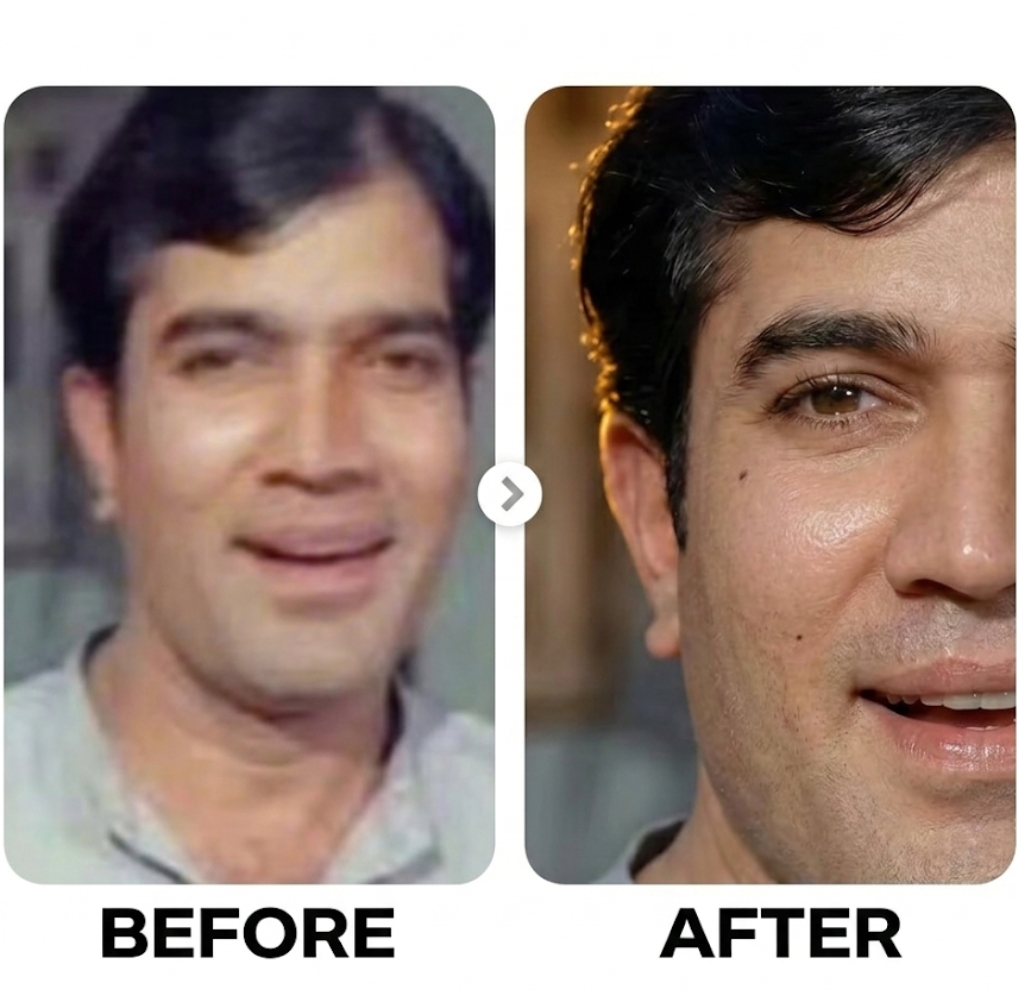
Enhance the existing photo only – keep the original framing, angle, composition, and facial proportions exactly the same. Do not crop, zoom, or convert to a close-up.Improve overall image clarity and sharpness naturally, with special attention to eye detail while keeping the full face and original framing intact. Refine focus slightly for better definition without making it overly sharp. Apply soft, natural cinematic lighting correction, preserving realistic shadows and depth already present in the image.
Enhance natural skin texture with visible pores and fine details — no beauty smoothing, no skin softening. Remove digital noise and compression artifacts while retaining organic texture. Improve dynamic range and contrast subtly, with muted highlights and rich mid-tones. Maintain accurate, organic skin tones with realistic color balance. Add very subtle cinematic film grain for a professional movie-still look. Background should remain exactly as it is, only slightly cleaner if noisy — no artificial blur added. Preserve all facial features, expressions, hair strands, and natural imperfections. Photorealistic result, professional camera look, high-quality enhancement only — no stylization.
🚫 NEGATIVE PROMPT (CRITICAL)
Close-up, zoomed-in, cropped face, changed framing, face alteration, reshaped features, beauty filter, oversmoothed skin, plastic skin, waxy texture, AI face, cartoon, anime, CGI, illustration, painting, artificial blur, fake bokeh, harsh lighting, flat lighting, over-sharpening, halos, HDR look, distorted eyes, asymmetry, extra details, digital artifacts, smartphone filter look.
RECOMMENDED SETTINGS (IMPORTANT)Image-to-Image Strength / Denoise: 0.15 – 0.30
CFG / Guidance: 5 – 7
Steps: 25 – 35
Face Restoration: OFF
Upscale: After final result only (2× max)
Seed: Fixed (for consistency).
Generate Image
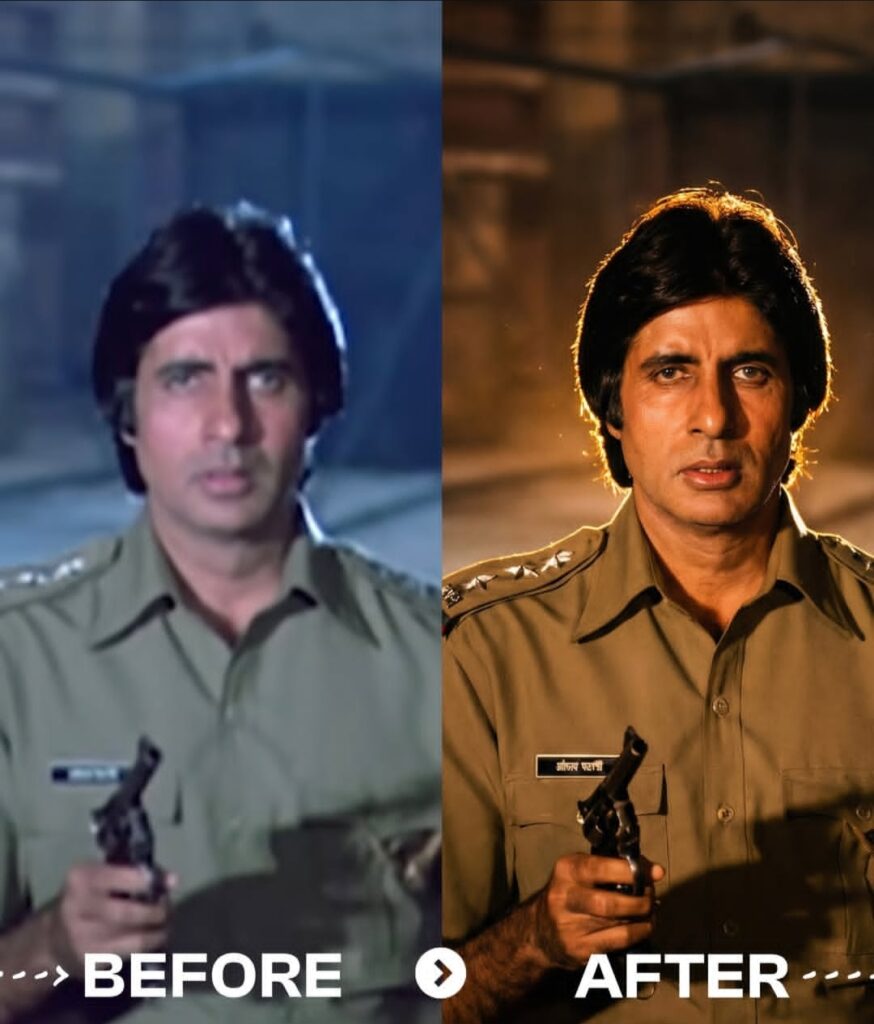
Transform the source image by applying a dramatic, warm cinematic aesthetic typical of high-end music videos. Crucially, the lighting must feature a strong, warm backlight (rim light) originating from behind the subject, creating a glowing golden halo on their hair and shoulders that separates them from the background, while also ensuring ample, soft frontal light on the subject’s face so that facial features are clearly and evenly illuminated. The overall atmosphere should be emotional and moody with a shallow depth of field (blurred background), dominated by rich amber, gold, and deep shadow tones, precisely maintaining the original subject’s facial features, pose, outfits, background, and gender 100% accurate. Perform a realistic upscale, bringing the subject into extremely sharp focus with enhanced skin texture and detail, styled as bright daytime photography with natural outdoor ambient light retained in the scene and sufficient key light on the face for a well-exposed portrait.
Generate Image
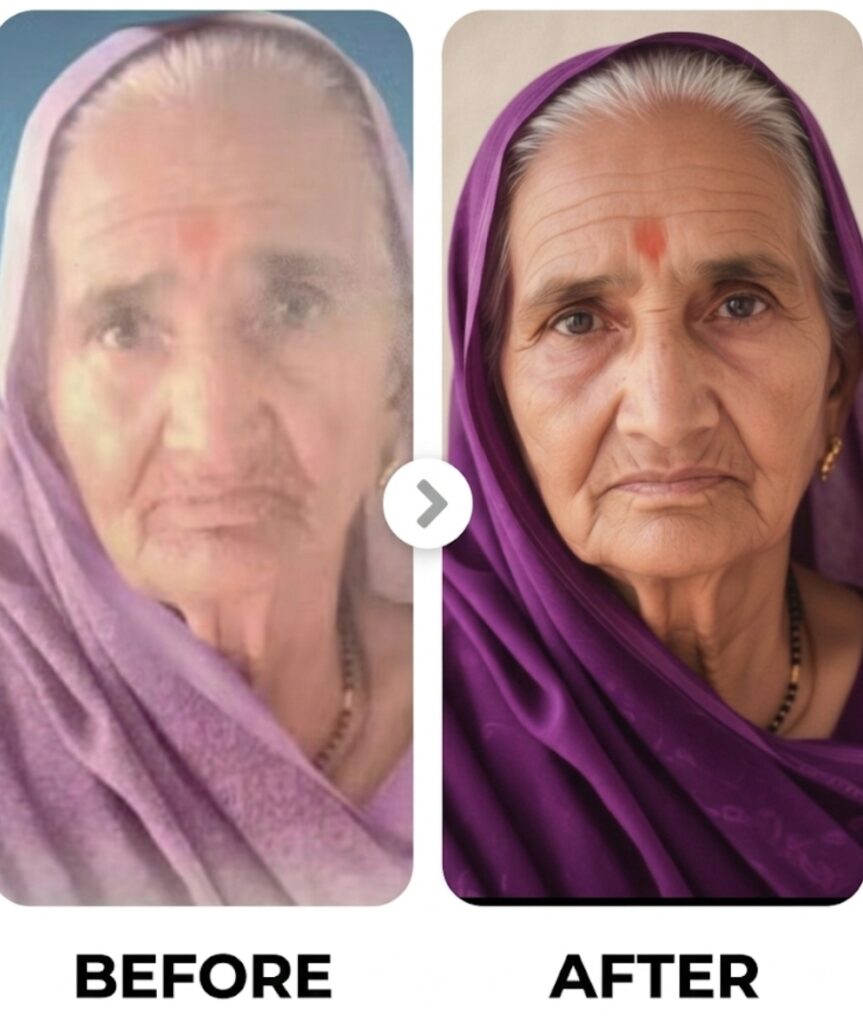
Ultra-realistic recreation of an old vintage photo, keeping the same original face (99% likeness, no alteration). Transform into a modern high-quality digital portrait with vibrant updated colors, smooth realistic skin textures, and natural lighting. The outfit and background should be upgraded into a clean, modern aesthetic while preserving the authenticity of the original pose and expression.
Generate Image
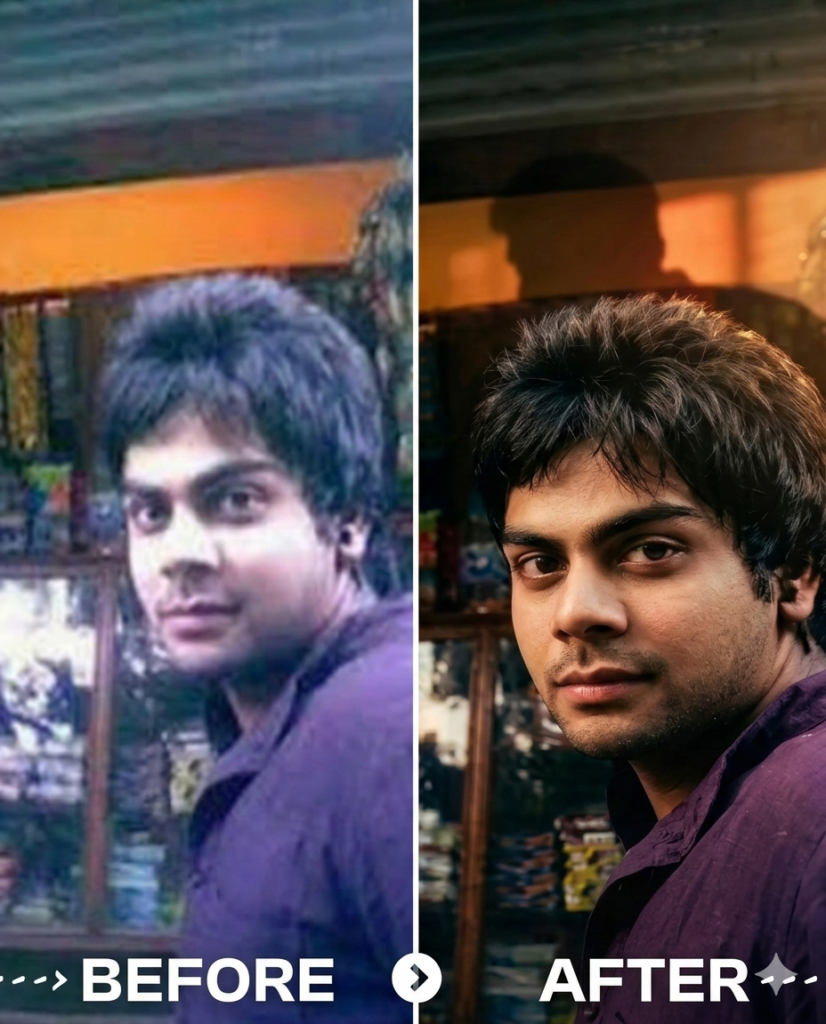
Enhance the portrait while strictly preserving the subject’s identity with accurate facial geometry. Do not change their expression or face shape. Only allow subtle feature cleanup without altering who they are. Keep the exact same background from the reference image. No replacements, no changes, no new objects, no layout shifts. The environment must look identical. The image must be recreated as if it was shot on a Sony A1, using an 85mm f1.4 lens, at f1.6, ISO 100, 1/200 shutter speed, cinematic shallow depth of field, perfect facial focus, and an editorial-neutral color profile.
This Sony A1 + 85mm f1.4 setup is mandatory. The final image must clearly look like premium full-frame Sony A1 quality. Lighting must match the exact direction, angle, and mood of the reference photo. Upgrade the lighting into a cinematic, subject-focused style: soft directional light, warm highlights, cool shadows, deeper contrast, expanded dynamic range, micro-contrast boost, smooth gradations, and zero harsh shadows.
Maintain neutral premium color tone, cinematic contrast curve, natural saturation, real skin texture (not plastic), and subtle film grain. No fake glow, no runway lighting, no oversmoothing. Render in 4K resolution, 10-bit color, cinematic editorial style, premium clarity, portrait crop, and keep the original environmental vibe untouched. Re-render the subject with improved realism, depth, texture, and lighting while keeping identity and background fully preserved.
NEGATIVE INSTRUCTIONS:
No new background.
No background change.
No overly dramatic lighting.
No face morphing.
No fake glow.
No flat lighting.
No over-smooth skin.
no change pose same to same as it is.
Generate Image
Step 4️⃣ : Image Generate karo
- Prompt Copy karke Paste Karo
- Ab Generate Pe Click karo
- Ab kuch der me Tumhari Image Ready Ho Jayegi 💌
✅ Instagram Viral Bullet Video Prompt👇
Image Prompt 👇
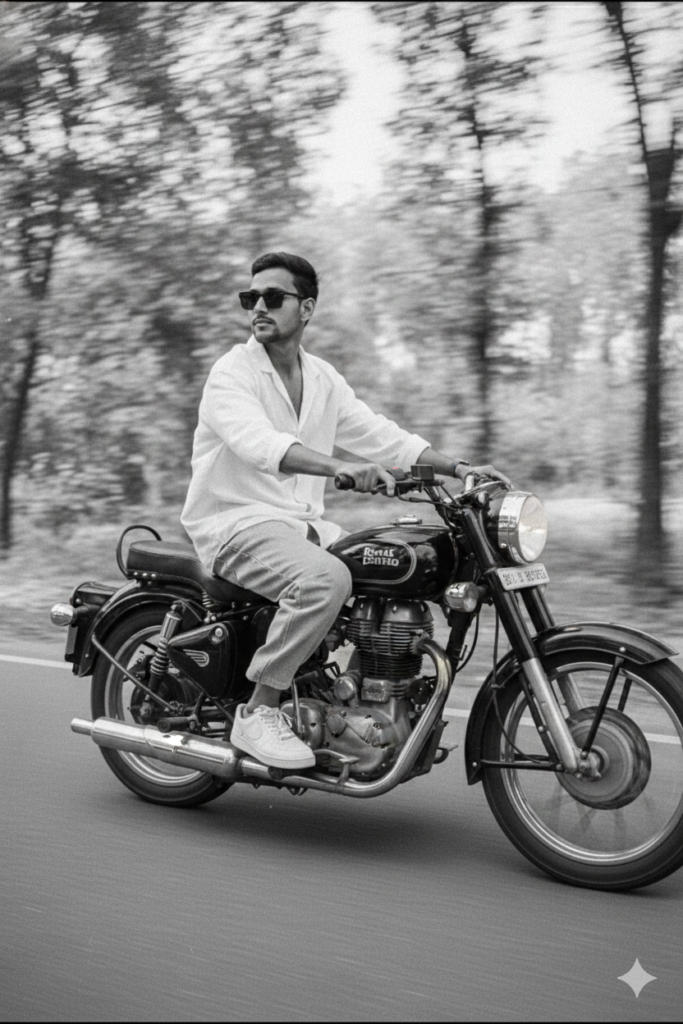
A slim-fit 5’7 young man riding his black Royal Enfield Bullet 350, glancing confidently to the side, hands on the handlebars, leaning naturally into the ride. he’s wearing an oversized white linen shirt with the top buttons open, light blue baggy jeans, and clean white Nike Air Force 1 sneakers. A silver wristwatch shines subtly on his wrist, and narrow-frame rectangular classy sunglasses complete her look. His face is fully visible – preserve 100% face.
The photo features a vintage cinematic grain aesthetic with Leica M11 Monochrome black-and-white tones, enhanced with a motion blur effect to convey speed and dynamic movement.
Generate Image
Video Prompt 👇
Create a realistic cinematic video from the reference image of a young man riding a Royal Enfield motorcycle on an open road. The bike is moving forward at moderate speed. Add natural motion to the rider body hair shirt fabric and hands on the handle. The background trees and road show smooth motion blur to enhance speed. Camera performs a slow side tracking shot with slight handheld cinematic shake. Lighting remains soft daylight with realistic shadows. Maintain the same face identity outfit and bike details. Shallow depth of field cinematic look. Ultra realistic film style 4k high detail smooth motion no jitter no distortion.
Generate Video
✨ Abhi Gemini open karo aur apni viral Video Banao 💥
Agar Ye Post Achi Lagi Ho Toh Apne Dosto Me Bhi Share Kar Do ✅👍